

I want to talk tonight about Fresco and how watercolor practice can translate to the app.
So a week before I started finalizing the backgrounds for page 1 of Light Reaper, I dove into some water coloring practice with Tony Couch’s Watercoloring: You Can Do It! I found it really helpful, especially in terms of getting my basic watercolor techniques to work better. I didn’t take on the exercises he had at the end of the book, but I did use his example images in many of his early chapters as modeling tools for my own mini-exercises.
Using what I learned about value, balance, composition, focus, and harmony, I set to work on the backgrounds for page 1 of the Light Reaper. I posted these on Facebook some months ago, but here’s a few again.
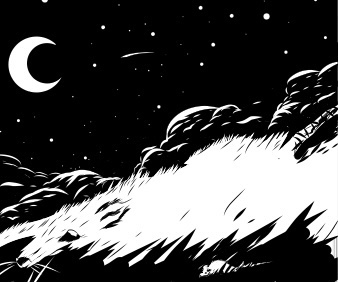
This one is pretty fun. I pull from some older techniques when it comes to dual imagery in black and white. This image is all about negative and positive space. To know how rats play into our larger story and our world, you’ll have to find out on Patreon…
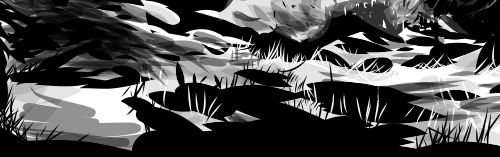
This one is a section of a bottom panel- dodging some spoilers – but it showcases some of the principals from Couch’s book applied to Fresco.
Like Fresco, I’m writing this post on my phone. Fresco lets me do my art literally wherever I am. There are several limits to the free app- storage space, number of layers, accuracy of the lines (using my finger versus a stylus), as well as issues with making shapes (there’s no line shape tool, only a shape mask tool).
That said, the brush features in Fresco have a ton of customization, including (most importantly) brush opacity and size. I’ve found that by reducing the opacity to around 10-20 and having a large brush size, I can digitally recreate watercolor effects.
From here, it’s just a matter of applying Couch’s principles to my images.
 actor | artist